Improved the Quiz Results Page to give you more control over styling and make the builder experience easier to understand.
This update adds new customization options for the results page, improves navigation while editing, and introduces clearer guidance when quiz categories have not been set up yet.
What’s improved
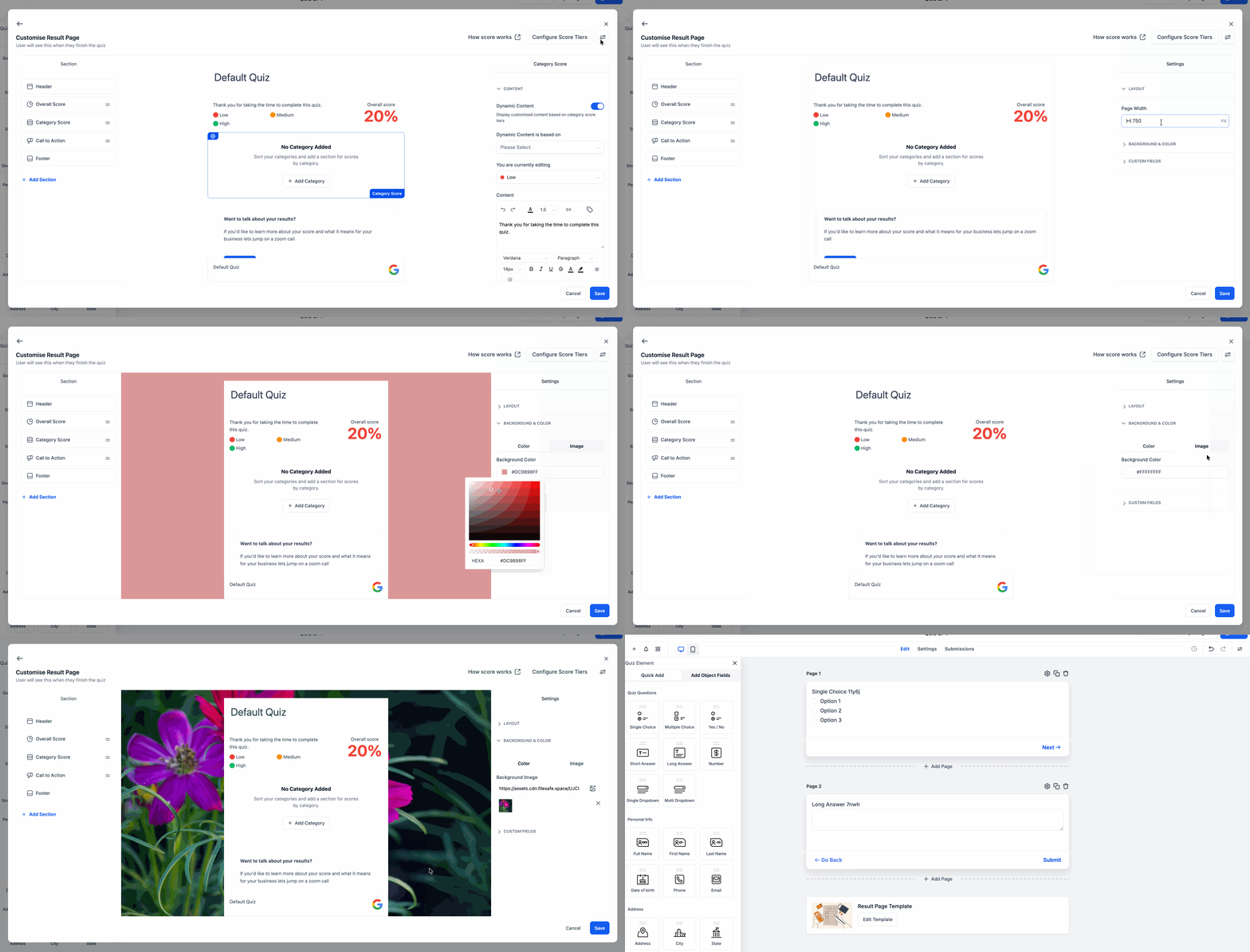
You can now adjust the results page width to better fit your layout
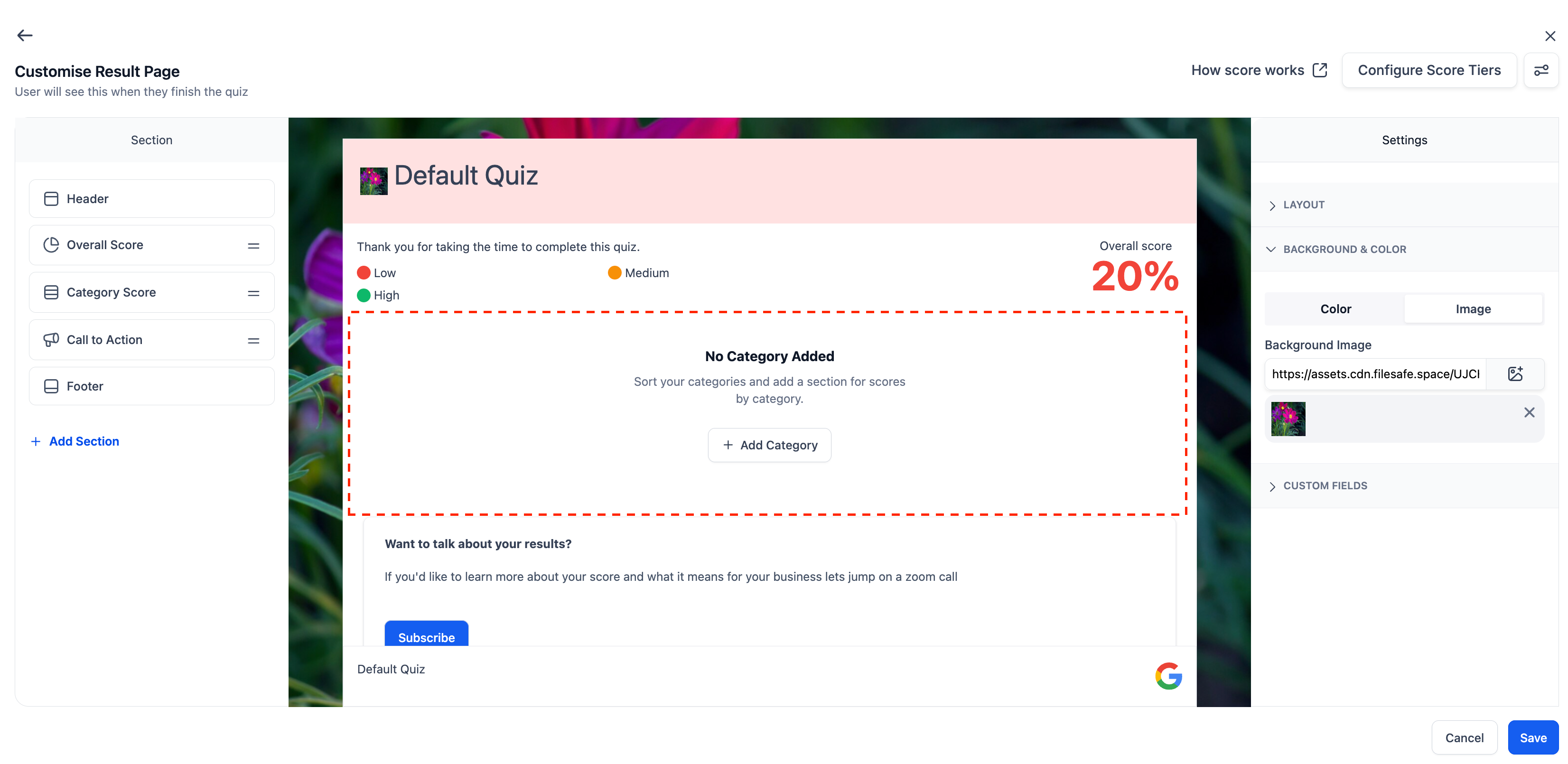
You can now add a background color or background image to the results page
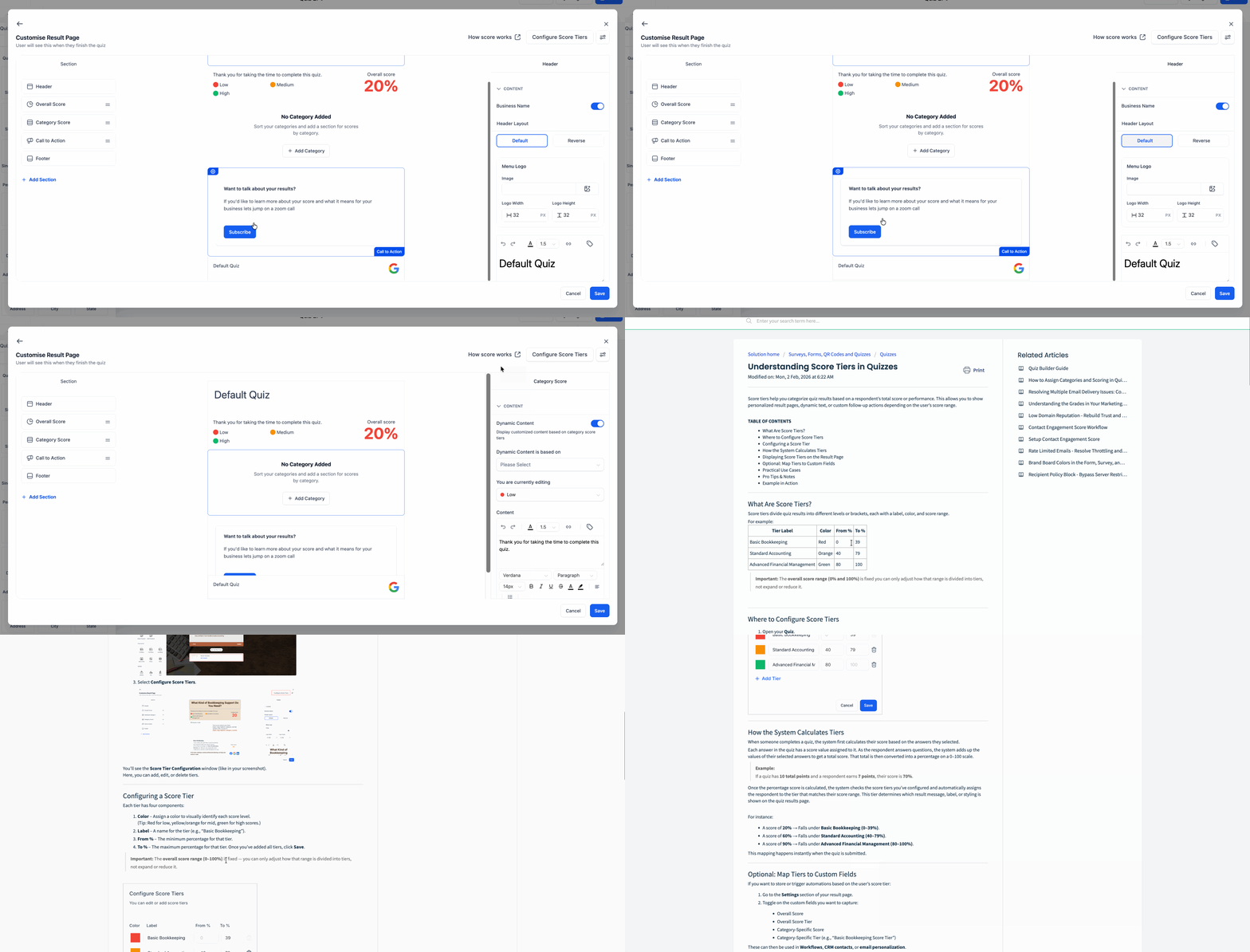
Selecting or adding a section now auto-scrolls the preview to that section
A clearer empty state now appears when no quiz categories have been created
Added a “How Scoring Works” link to help explain quiz scoring while building results pages
Improved the quiz results page editing flow for a smoother builder experience
How to access
Open the Quiz Builder and go to the Results Page or Edit Result Template area.
From there, you can update the results page styling, manage categories, and customize the layout and sections.
Why it matters
Gives you more control over how your quiz results page looks
Makes it easier to build branded quiz experiences
Reduces confusion when categories are missing
Helps users understand quiz scoring more clearly
Makes editing long results pages faster and easier
Was this article helpful?
That’s Great!
Thank you for your feedback
Sorry! We couldn't be helpful
Thank you for your feedback
Feedback sent
We appreciate your effort and will try to fix the article